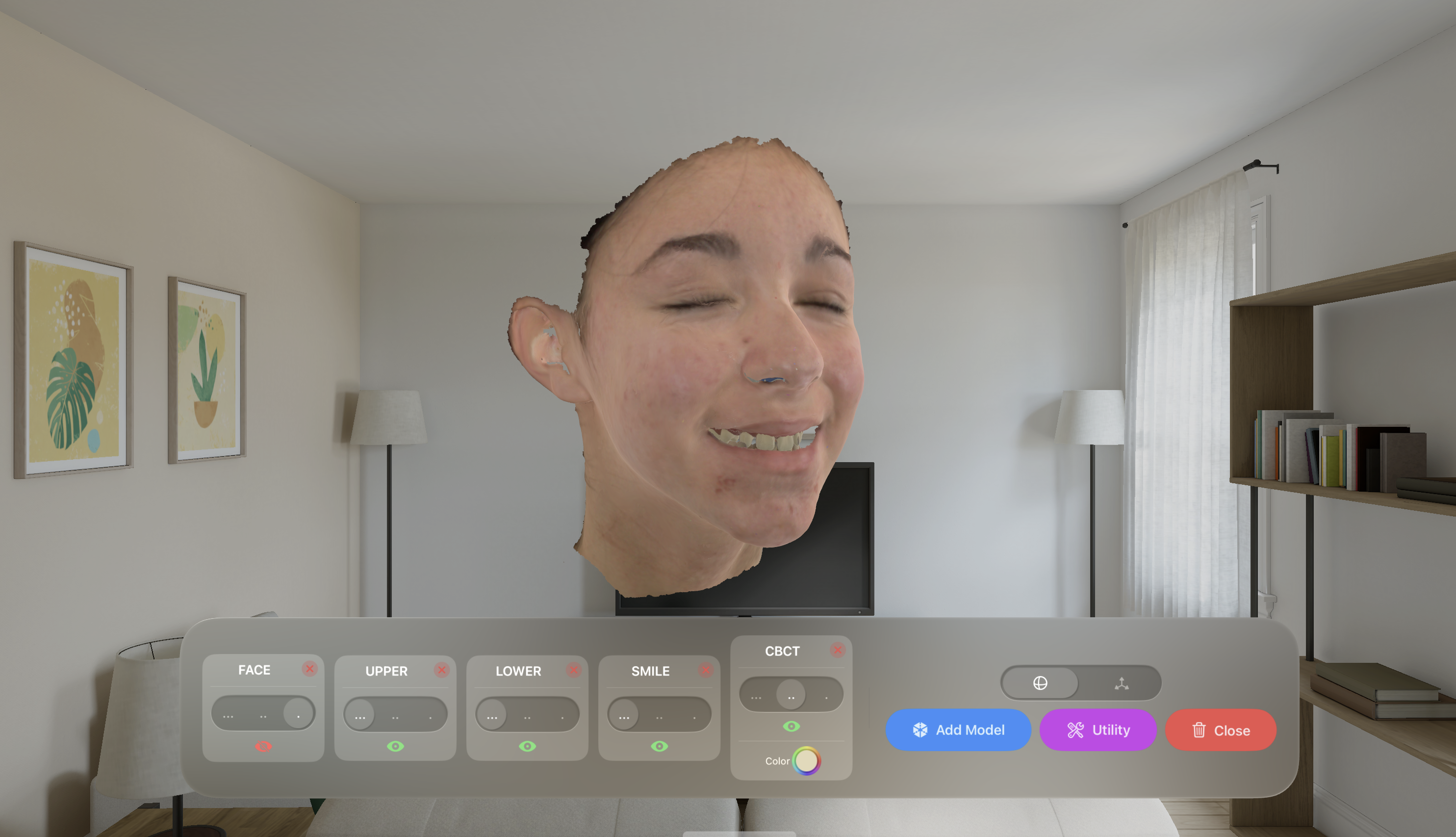
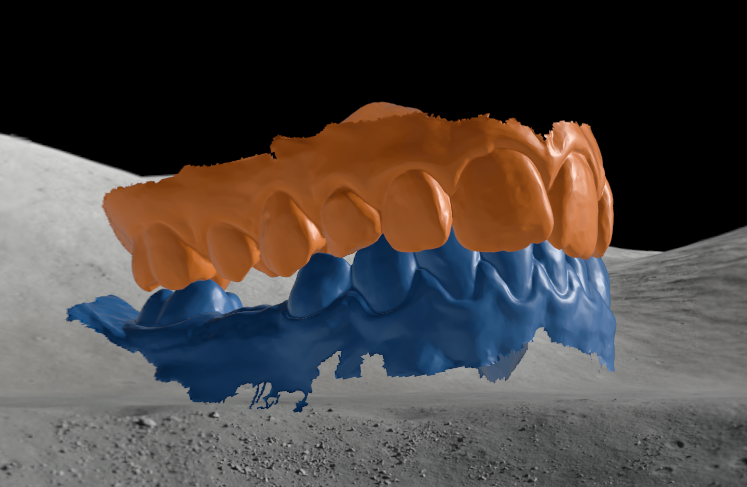
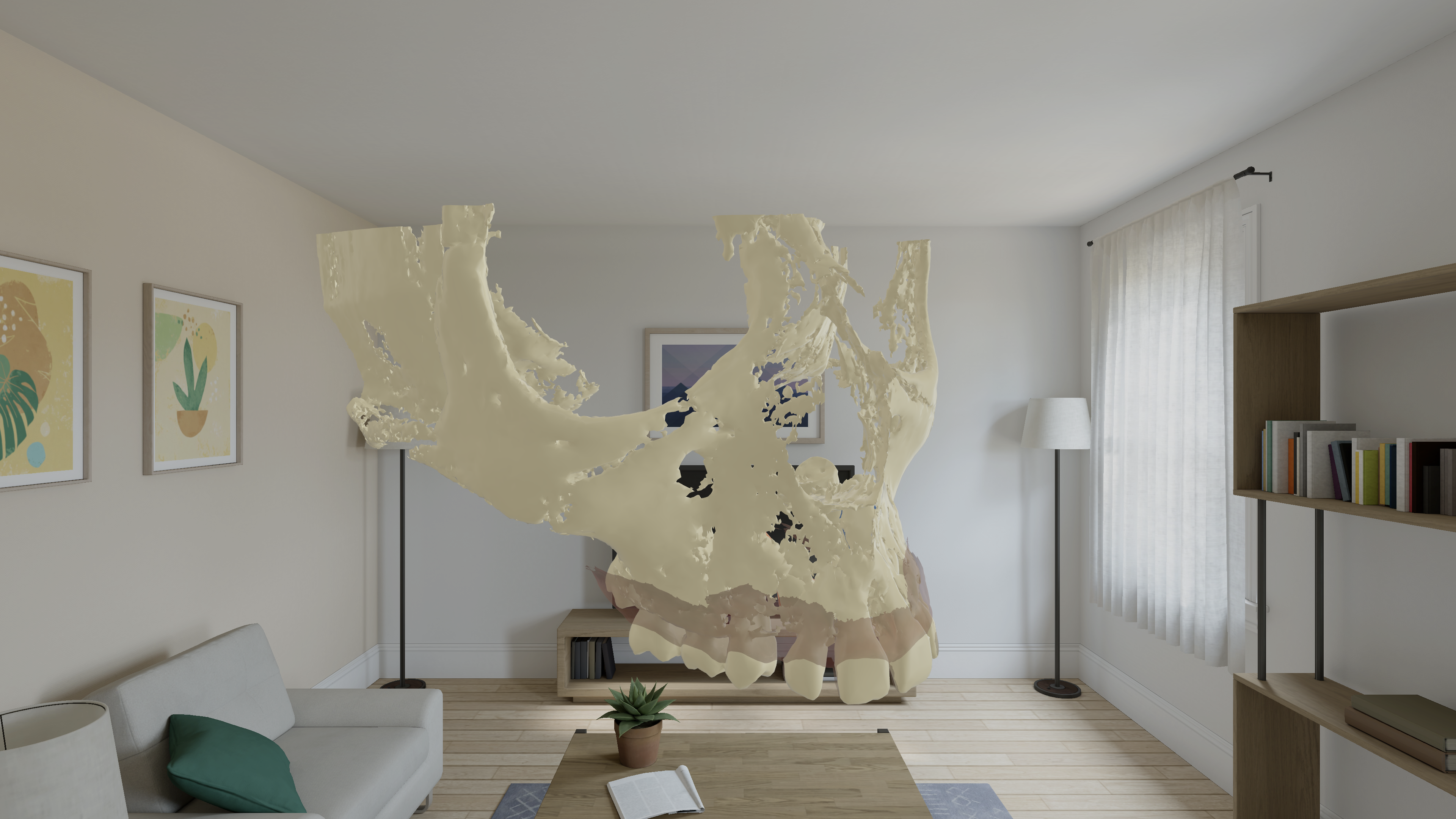
OrthoViewer brings clinical-grade 3D visualisation of dental models into the immersive visionOS environment, designed for treatment planning, patient communication, and clinical education.
Capabilities
Every feature is designed around the daily needs of orthodontists — from case planning to patient consultation.
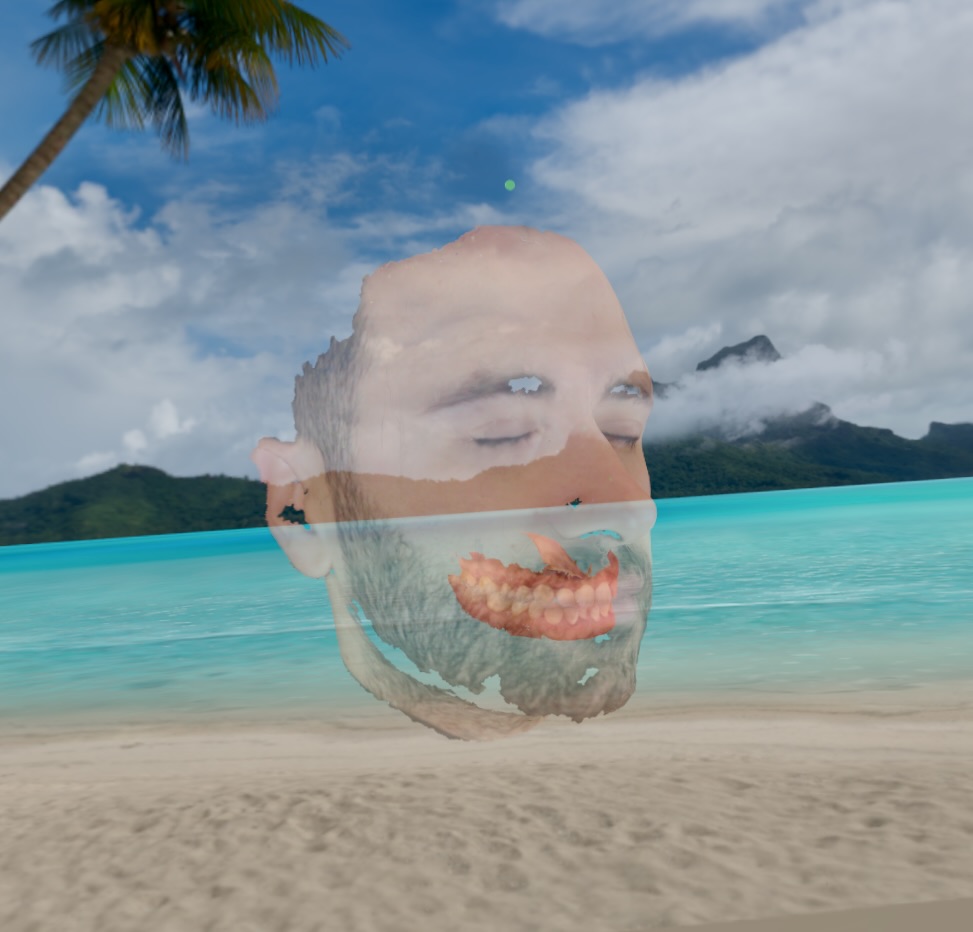
Load maxilla, mandible, and facial models simultaneously and overlay them in spatial space. Adjust individual transparency to isolate anatomical regions of interest — from solid rendering to full wireframe-style visibility.
Each imported model is automatically assigned a distinct color from a clinical palette. Instantly identify arch segments with custom ColorPicker overrides.
Models of any size — from a single molar to a full-arch scan — are automatically normalized to correct proportions. Mixed scanner outputs always align consistently.
Physically Based Rendering with diffuse, matte shading - no distraction during clinical analysis. Opacity layering with three-level transparency control.
Native support for outputs from intraoral scanners and 3d models from segmented CBCT data. Import directly from your existing digital pipeline without conversion steps.
Seamlessly import STL / OBJ / PLY/USDZ files from iCloud Drive or local storage. The app handles secure and remote downloads automatically.
Workflow
An easy, streamlined workflow brings your models into Vision Pro without friction.
Select STL, OBJ, PLY, or USDZ files from iCloud Drive or local storage. The app downloads and sandboxes them automatically.
Models appear instantly in volumetric space, proportionally scaled and color-coded. Overlay up to any number of structures simultaneously.
Rotate, scale, and translate with natural hand gestures. Adjust transparency per model to focus on any anatomical region of interest.
File Support
OrthoViewer handles the full spectrum of digital dentistry outputs without any conversion step.
Full materials, animations & hierarchy — native RealityKit rendering
Standard intraoral scanner output — auto colorized with PBR material
Full support for .ply import and visualization
Import color model with textures — UV unwrapping preserved
Natural Interaction
Every interaction maps to intuitive spatial gestures — no controller, no learning curve.
Magnify Gesture uniformly scales the entire model group. Pinch in or out to inspect the overall arch morphology or focus on individual tooth details.
In Rotation mode, drag gestures allow smooth 360° free rotation of the model on all axes for a complete view and analysis of its morphology.
Switch to Translate mode using the specific toggle. Reposition the model group freely within the scene to optimise your viewing angle.
Per-model opacity via a specific panel beneath the volumetric window. Three-level transparency reveals underlying anatomy without losing spatial context.
Utility
A focused set of clinical utilities — accessible instantly from the spatial interface without interrupting your workflow.
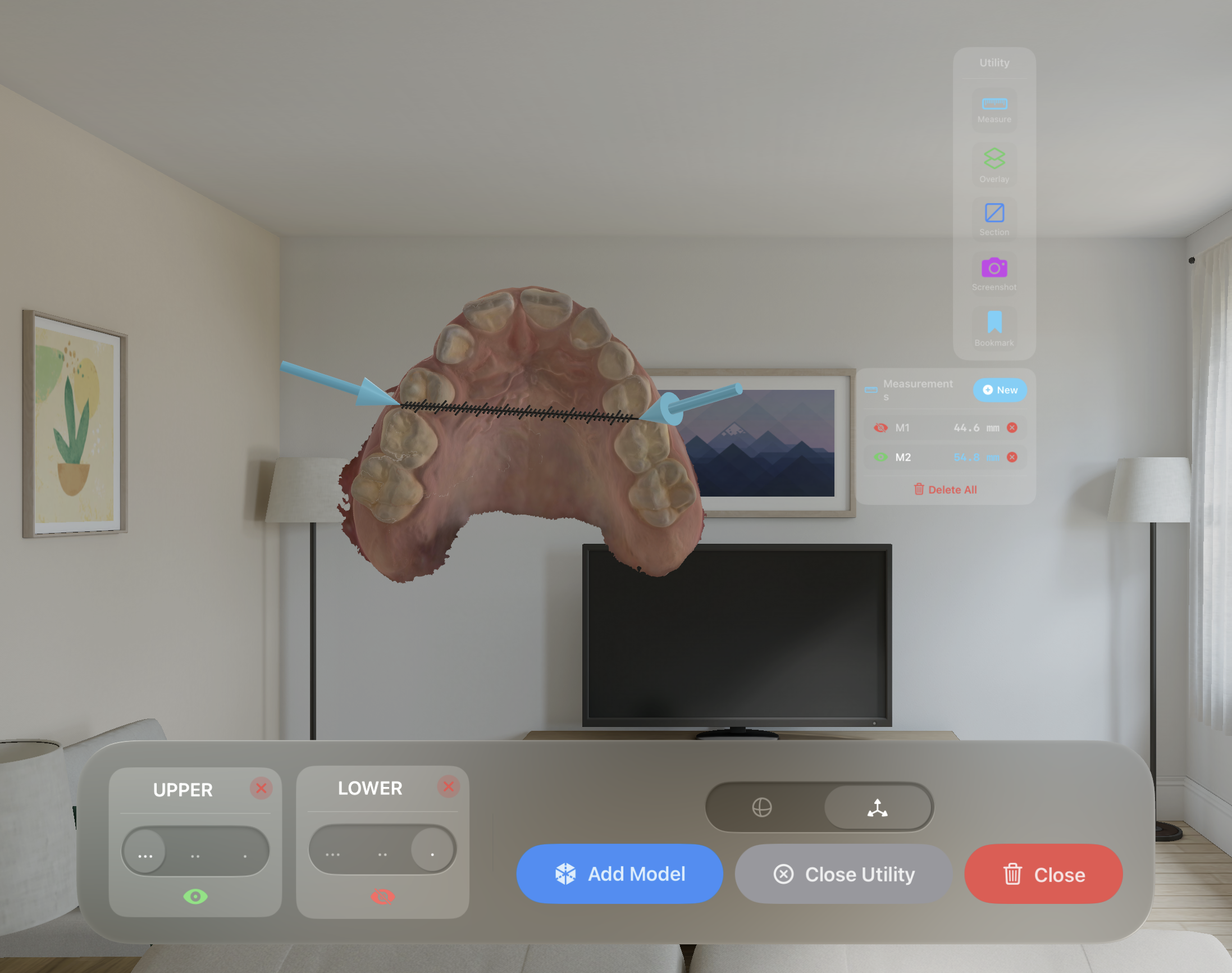
Place measurement points directly on the 3D model to analyse distances and dimensions in millimetres with great precision.
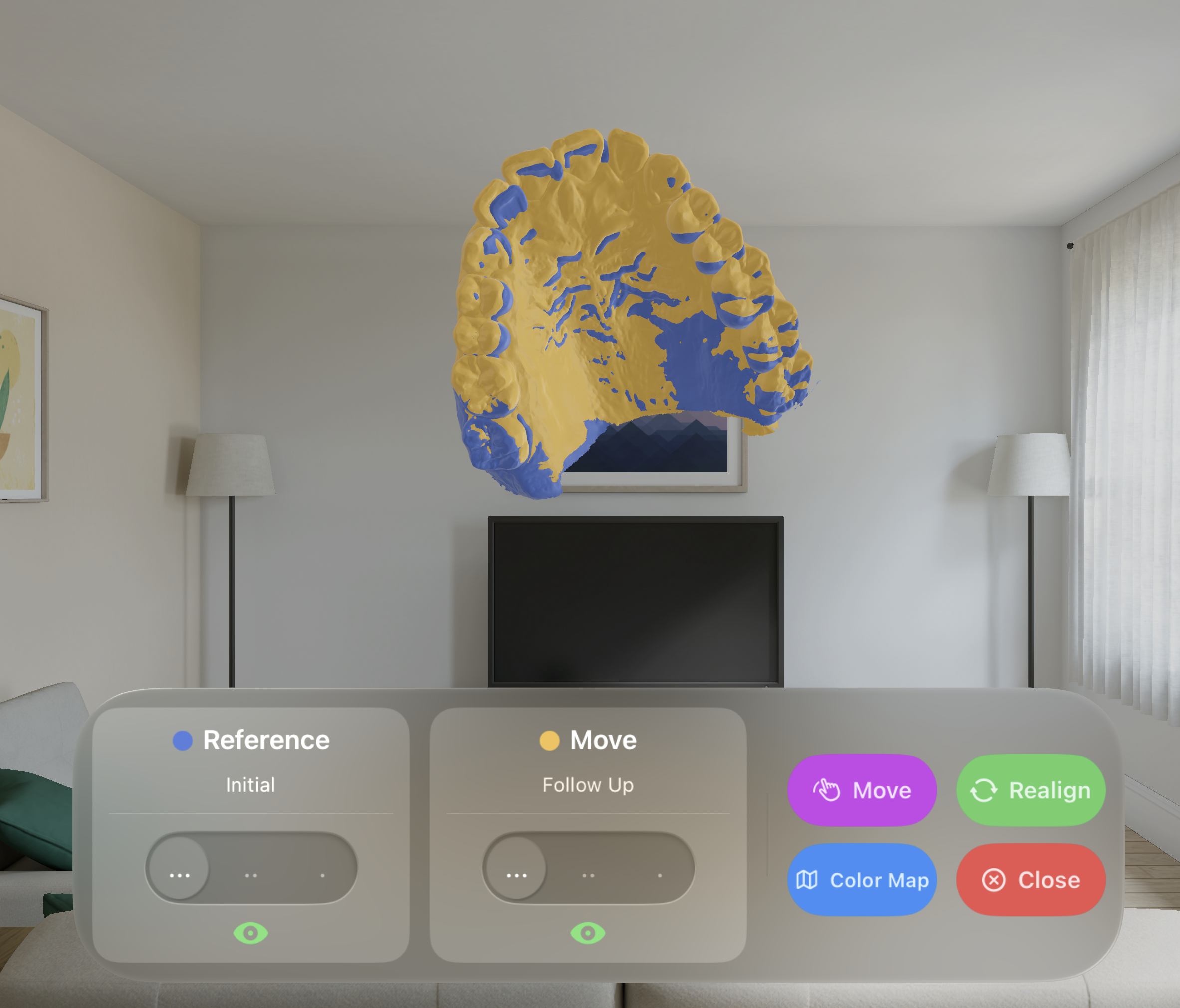
Superimpose multiple arch models in spatial space with independent opacity control — ideal for comparing pre and post-treatment scans in a single view.
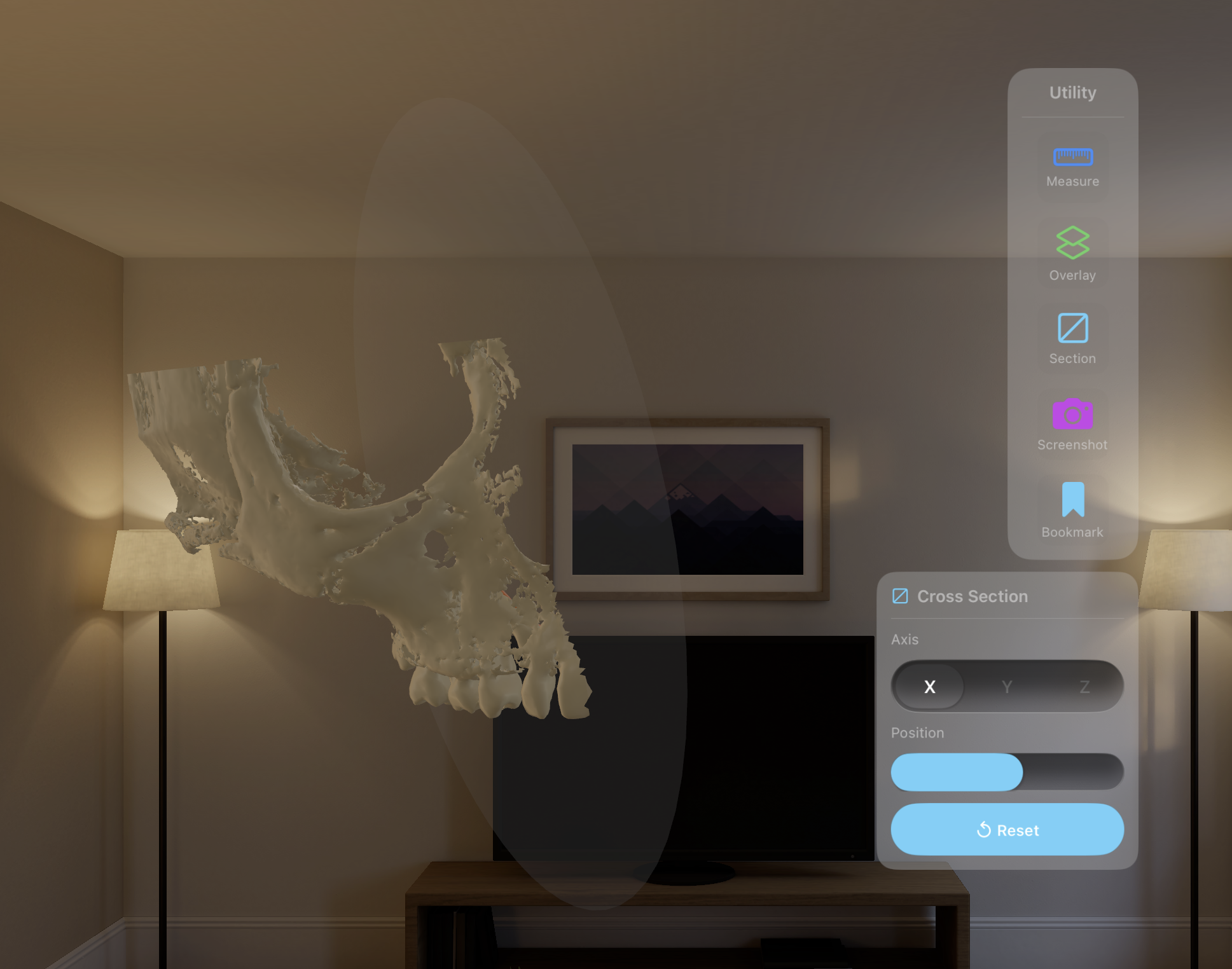
Apply a real-time cross-section plane to any axis of the model. Inspect internal anatomy, root morphology, and arch cross-sections with a single gesture.
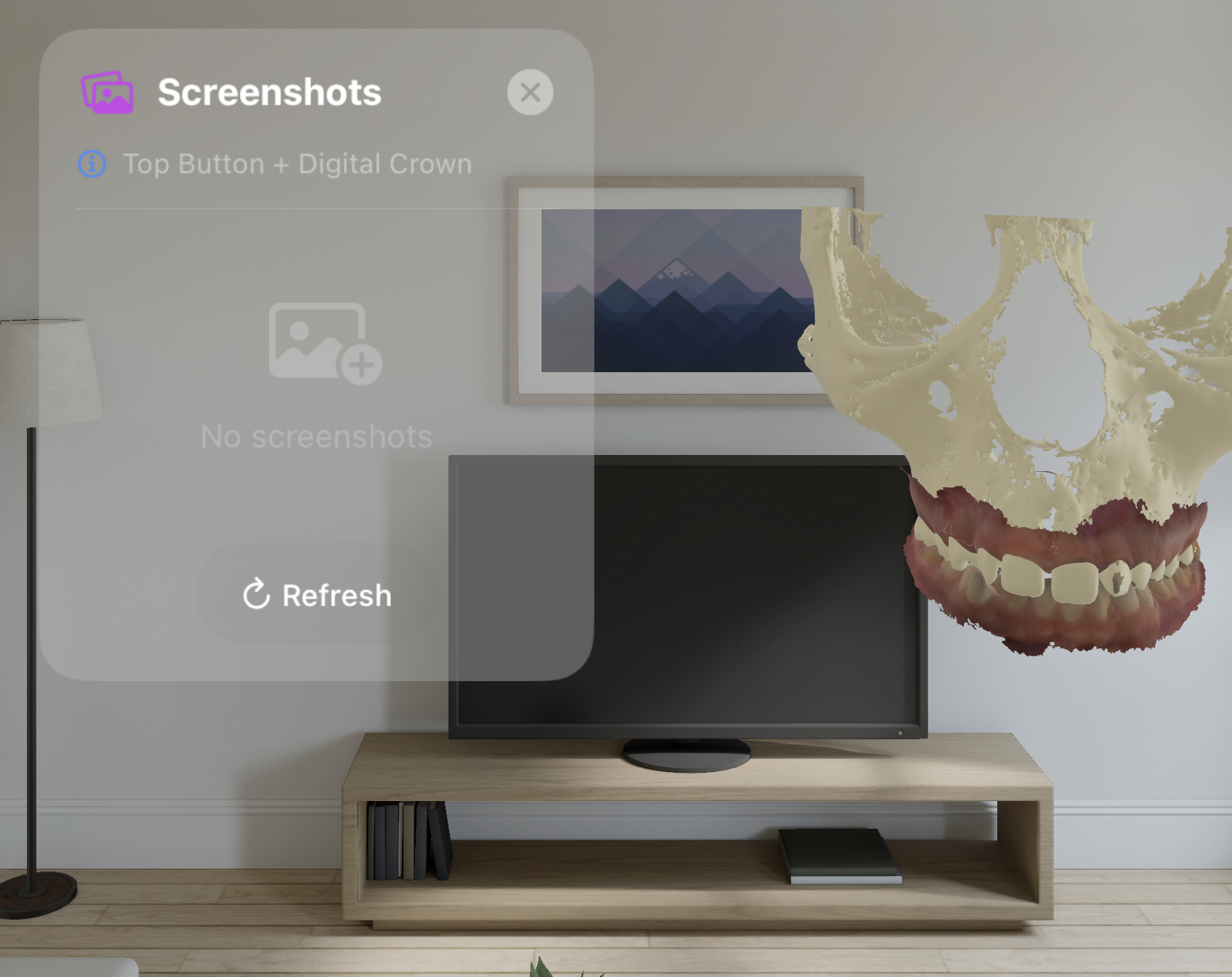
Capture the current spatial view as a high-resolution image saved directly to your Photos library — ready for patient records, case reports, or presentations.
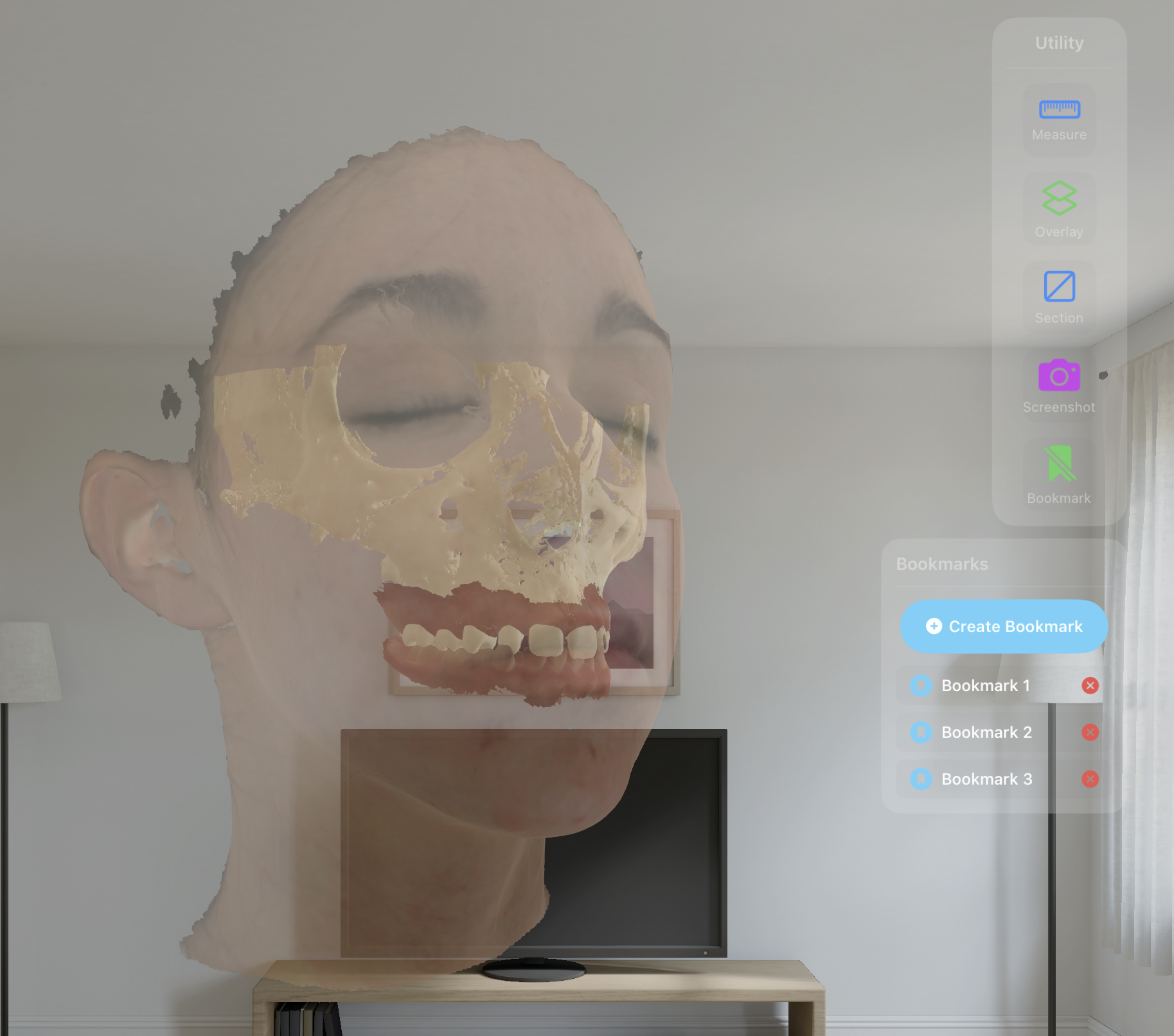
Save a specific model orientation, zoom level, and overlay configuration as a bookmark — recall any clinical view instantly for better understanding and communication.
Color Map
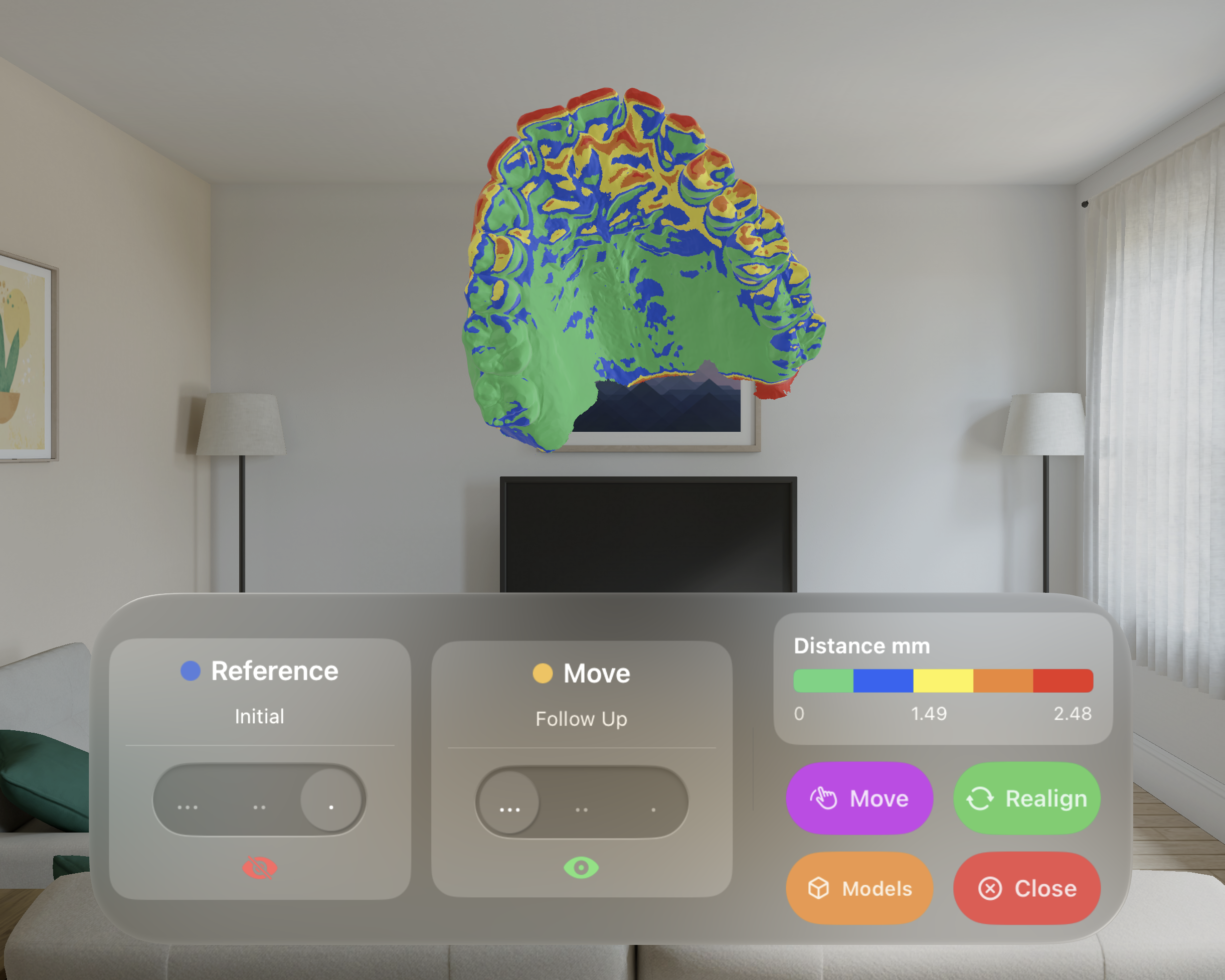
Align pre and post-treatment models and instantly calculate surface distances — rendered as a vivid color gradient directly on the 3D mesh. Identify areas of movement, retention, and deviation at a glance.
Automatically align two scans using best-fit registration — no manual positioning required.
Compute per-vertex surface distance between pre and post-treatment models in millimetres.
Distances are mapped to a clinical color scale — from green (minimal change) to red (maximum displacement).